Project Info
Inspiration
I kept re-recording the same README GIF. The product would change, the GIF would go stale, and nobody noticed until someone opened an issue about it. Screen recorders store a demo as pixels. The editor then has to guess what mattered. It guesses the zoom target from a click coordinate and the section boundary from a pause. The guess is often wrong, and it always looks like a guess. The recording is the problem, not the editor. If the recorder captures the page structure at the same time as the pixels, it does not have to guess anything. It knows the click landed on the "Create report" button and it knows that button's exact bounds.
What it does
Cutscene records a Chrome tab and the DOM events behind it into one bundle: a WebM file, a versioned JSONL trace, and a metadata file. The trace holds clicks, inputs, navigation, scrolling, viewport changes, ranked locators, element bounds, and clock sync markers. From that single capture you get: Zooms that frame the recorded element instead of the cursor position. A 1080p MP4, a README GIF with one global palette, a 9:16 crop, step docs, cropped screenshots, per-step GIFs, captions, and a Playwright flow skeleton. An interactive demo. It is a static ZIP that pauses the video at every recorded click and waits for you to click the real element. No backend and no sign-in. A recording quality report. Every element you touched already carries its role, accessible name, and ranked locators, so the report flags interactions on elements with no accessible name and steps whose best locator is one that an ordinary edit breaks. Regeneration. A demo.yml file declares the trace, a base URL, and the outputs to maintain. The runner replays the stored locators against a current build and rebuilds the outputs. Input values and sensitive elements are masked at capture time, before anything is written to disk. How I built it Five packages. The extension is Manifest V3 and deliberately thin. It uses chrome.tabCapture for video, MediaRecorder for encoding, and a content script for the trace. There is no product logic in it, because the extension is the only part I cannot easily change later. packages/trace holds the real work: the schema, ranked locator generation, privacy masking, clock fitting, coordinate math, zoom generation, quality analysis, and drift healing. It has no DOM dependency and both the extension and the editor import it. The editor is React, TypeScript, Vite, and Zustand, with plain CSS tokens. Rendering runs on ffmpeg.wasm, so nothing leaves the machine. The runner validates demo.yml, replays in Chromium, and writes drift and staleness reports. The whole project ran off a phase-gated PRD. Each phase had numeric exit criteria and could not start until the previous phase reported its numbers. Phase 0 was allowed to fail. Challenges I ran into Three clocks. The video clock, the DOM event clock, and the recorder's own clock do not start together. A zoom that fires two frames late reads as a mistake even when the element is correct. Sync markers and a shared media clock model got the acceptance run to a mean timing error of 0.258 frame across ten sampled zooms, with a worst case of 0.422. Failing honestly. Regeneration is only useful if a replay against a changed build fails instead of clicking the wrong thing. Locators are captured as a ranked list. If the best one stops resolving and a weaker one still finds the element, the step is marked drifted. If nothing resolves, it is orphaned, the replay stops, and the command exits 1 with the declared outputs untouched. Knowing when not to repair. I added a --heal flag that promotes the locator that actually resolved and writes the trace back, so a renamed test ID is fixed permanently. The hard part was making it refuse to go further. A deleted button has no locator left to promote, so it stays orphaned and the run still fails. A tool that quietly hides a real break would be worse than no tool. Privacy in the interactive export. Masking at capture time was the easy half. The exported player had to carry enough data to place hotspots and nothing else. The manifest is five top level keys and four keys per step. I verified zero locators, zero raw trace, and zero input values in the shipped HTML. Accomplishments that I am proud of Every claim here is a measured number I can reproduce locally. 10 of 10 sampled zooms landed on the correct element, with a mean timing error of 0.258 frame. The interactive export on a real TodoMVC recording completed 5 of 5 hotspots in order, with a maximum hotspot edge error of 0.014435 rendered pixels and no console errors. The quality report found a real defect on a real site. All five checkboxes on the recorded TodoMVC path expose no accessible name. 315 tests pass, typecheck is clean across 5 packages, and 6 of 6 Chromium end to end tests pass. The README states the limitations above the feature list. Chrome only, DOM based apps only, no cross origin iframes, open shadow roots only. What I learned Capture is cheap and permanent. Features are expensive and reversible. Phase 1 records every field in the schema, including ones that only much later phases read, and then uses almost none of them. That felt wasteful at the time. It was not. A field you failed to capture forces every existing user to re-record. The quality report proved the point. It shipped this week and cost about two hours, because the two fields it needs were captured on day one and ignored for months. I also learned how much a gated PRD changes agent assisted development. Ask an agent to "build the recorder" and it builds all eight phases badly. Give it three numbers that Phase 0 must hit before Phase 1 may start, and it builds one phase well and stops.
What's next
Regeneration in CI, so a pull request that changes a route arrives with a regenerated README GIF attached and fails when the demo no longer matches. After that, comments anchored to elements rather than timestamps, so review survives a redesign.
Cutscene
Cutscene records a Chrome tab and the DOM events behind it. The editor uses recorded element bounds to frame clicks instead of guessing from cursor coordinates.
Click through a live demo · what it is
The demo is a static file exported by the editor from the recording below. It pauses the video at every recorded click and waits for you to hit the real element. No install and no account.
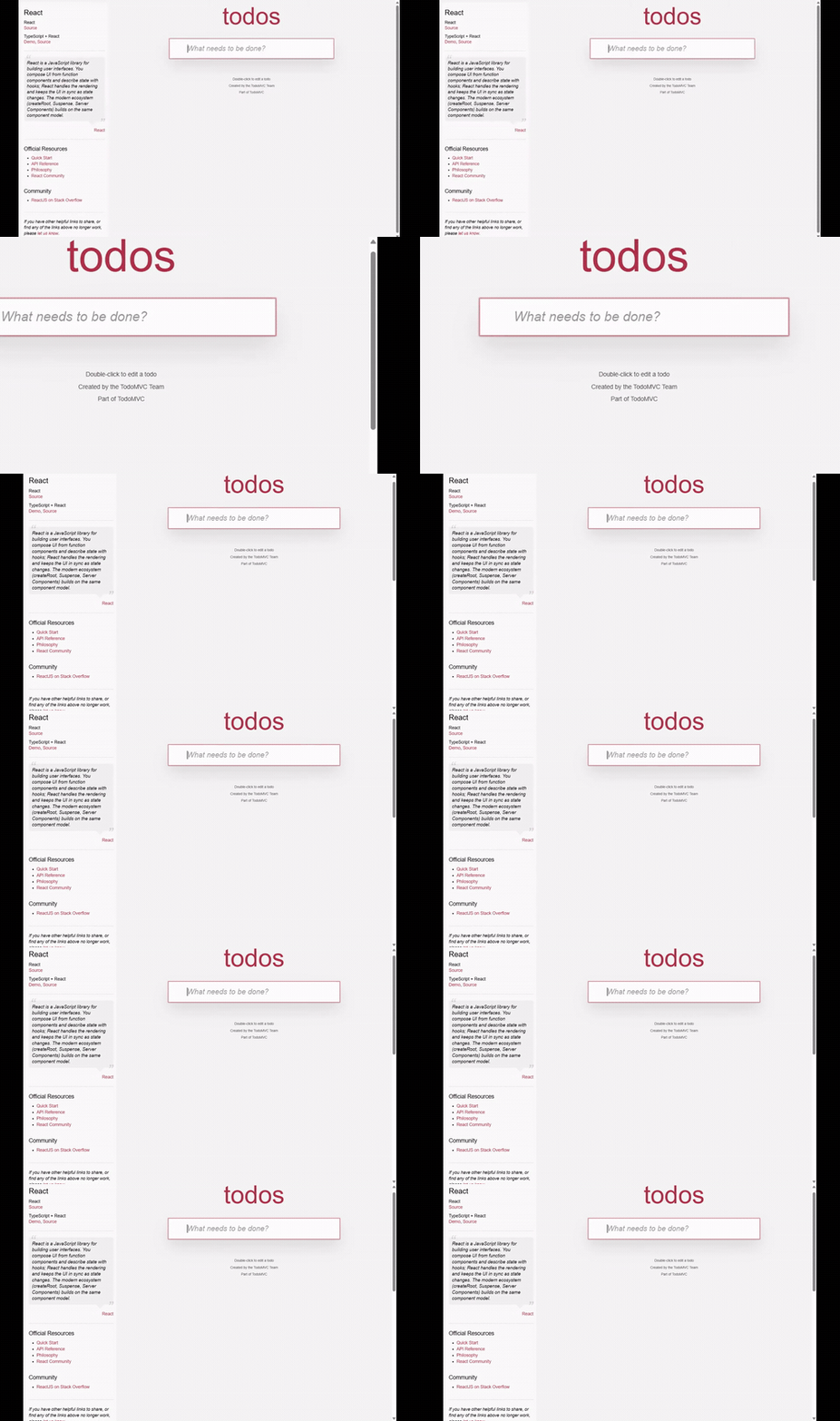
Same recording. Cursor-position zoom on the left; recorded-element zoom on the right.
Limitations
- Chrome only.
- DOM-based web applications only. Canvas, WebGL, maps, and similar surfaces fall back to pixels because they do not expose useful semantic elements.
- Cross-origin iframes cannot be traced.
- Shadow DOM is traced only when its root is open.
- Recording and editing are local by default. The optional self-hosted share server has public UUID links only; it has no accounts or private links. What is recorded and what leaves the machine is stated in the privacy policy.
What works today
- Tab video capture with optional microphone audio. Stopping a recording opens the editor with it already loaded; the extension keeps the five most recent recordings and flushes the take to storage while it runs, so an interrupted recording is openable instead of lost.
- A versioned JSONL trace containing clicks, inputs, navigation, scrolling, viewport changes, ranked locators, element bounds, and clock-sync markers.
- Capture-time masking for input values and sensitive elements.
- A local editor with an event list and trace lane. Hover a tick to inspect its recorded element; click it to seek.
- Automatic element-locked zooms with manual add, delete, retime, and retarget controls.
- Element-anchored callouts rendered consistently in preview, GIF, and MP4.
- Preconfigured CSS-selector blur tracks with enable/delete controls and the same redaction in preview, GIF, and MP4.
- Cursor smoothing, click ripple, idle hiding, local brand presets, and 9:16 crop export.
- README GIF export with one global palette, plus 1080p H.264 MP4 export.
- Linear interactive-demo export that pauses the rendered video at every recorded click and continues through element-aligned hotspots.
- Step documentation, cropped screenshots, per-step GIFs, a Playwright flow skeleton, and imported SRT/VTT captions.
- A recording quality report derived from the trace alone: interactions on elements with no accessible name or role, and steps whose strongest locator is one an ordinary edit breaks.
- A minimal filesystem-backed server for uploading a bundle and sharing its video through a public link.
- Local demo regeneration that replays ranked locators, records fresh pixels and trace data, compares the trace, and rebuilds GIF, MP4, and documentation outputs without opening a pull request.
Run locally
You need Chrome, Node.js, and pnpm 11.6.0.
pnpm install
pnpm build
Open chrome://extensions, enable Developer mode, choose Load unpacked,
and select packages/extension/dist.
The editor ships inside the extension, so recording a tab opens it directly. To run the editor as a standalone page instead — for recordings you already have on disk:
pnpm --filter @cutscene/editor exec vite
Open the local URL printed by Vite.
Start the optional share server:
pnpm --filter @cutscene/server start
It stores bundles in data/ and listens on port 4180. After loading a
recording in the editor, choose Create share link and enter the server URL.
The editor uploads the original three files and shows the public link and the
date it expires.
Before pointing anything public at it, know what it does and does not do. A
share link is public and unguessable; there are no accounts and no private
links. Recordings are deleted after their retention window, whether or not the
sweep has run. The owner token can delete a recording immediately with
DELETE /api/recordings/<id>. Writes are rate limited per address and the
server refuses new recordings once its store is full.
| Variable | Default | Meaning |
|---|---|---|
CUTSCENE_DATA | data | Where bundles are stored. |
PORT | 4180 | Listening port. |
CUTSCENE_RETENTION_DAYS | 30 | Days before a recording expires and is swept. |
CUTSCENE_STORE_LIMIT_BYTES | 20 GiB | Refuse new recordings past this total. |
CUTSCENE_WRITE_BURST | 20 | Writes one address may make at once. |
CUTSCENE_WRITE_PER_MINUTE | 20 | Sustained write rate per address. |
CUTSCENE_TRUST_PROXY | unset | Set to 1 only behind a proxy you control, so X-Forwarded-For is believed. |
Check a recorded flow against a current build
Install the runner where the check should happen. Drift checks need only the runner and a browser; rebuilding GIF, MP4 or documentation also needs the editor, which carries the render pipeline.
npm install --save-dev @cutscene/runner @playwright/test
npx playwright install chromium
npx cutscene-regenerate --config demo.yml --dry-run

npm install --save-dev @cutscene/editor   # only if you rebuild outputs
Node 22.18 or newer. In GitHub Actions, the packaged action does the same thing and comments the report on the pull request:
- uses: macayu17/Cutscene@main
  with:
    config: demo.yml
    dry-run: true
The step fails when a demo drifts, exactly as a failing test does. Add
heal: true to promote the locator that actually resolved instead.
The runner validates demo.yml, optionally runs a seed command, and
replays the stored trace in Chromium. A normal run records a fresh WebM and
trace, compares the semantic actions, and rebuilds every declared output. Add
--dry-run to check locator drift without recording or rendering.
version: 1
demos:
  - id: todo-flow
    trace: .cutscene/todo-flow.trace.jsonl
    baseUrl: ${{ env.PREVIEW_URL }}
    seed: pnpm run seed:demo
    inputs:
      step_0001: ${{ env.DEMO_TODO }}
    watch:
      - packages/app/src/routes/reports/**
    staleAfterCommits: 10
    outputs:
      - type: gif
        path: docs/assets/todo-flow.gif
        width: 800
An environment reference must occupy the whole value. Input overrides are
keyed by the recorded stepId and stay in memory; they are not written to the
trace or reports.
$env:PREVIEW_URL='http://127.0.0.1:4173'
$env:DEMO_TODO='Recorded demo value'
pnpm --filter @cutscene/runner regenerate -- --config demo.yml --dry-run
Remove --dry-run to rebuild the declared outputs. Add --demo todo-flow to
run one configured demo. Fresh bundles are written under
.cutscene/runs/<demo-id>/; drift, trace-diff, and staleness reports are under
.cutscene/reports/<demo-id>/. watch and staleAfterCommits are optional,
but must be provided together.
- Exit
0: every planned step matched; a normal run also wrote the fresh bundle, reports, and all declared outputs. - Exit
1: at least one step drifted, became orphaned, or was not evaluated; a normal run leaves the declared outputs unchanged. - Exit
2: configuration, seed, capture, report, or rendering failed.
Repair recoverable drift
A step drifts when its strongest locator stops resolving but a lower-ranked one
still finds the element. Add --heal to promote the locator that actually
resolved and write the trace back, so the next run matches instead of drifting
again.
pnpm --filter @cutscene/runner regenerate -- --config demo.yml --dry-run --heal
Healing never invents a locator. An orphaned step has nothing left to promote,
so it stays orphaned and the run still exits 1. --heal repairs what is
recoverable and refuses to hide what is not.
Version 1 records and replays only Enter. Printable keys, modifiers, and all
other control keys are omitted. A step with more than one recorded Enter is
rejected as ambiguous instead of guessing an action sequence.
Record and edit
- Open a DOM-based page in Chrome.
- Open the Cutscene extension. Add any CSS selectors that must be visually
blurred, then start recording. Microphone capture is optional. Blur applies to
the editor and everything it exports;
media.webmkeeps the original pixels, so share an exported file rather than a share link when that matters. - Stop recording. The editor opens in a new tab with that recording already
loaded. Chrome also downloads
media.webm,trace.jsonl, andmeta.jsoninto onecutscene-<recording-id>folder. - Open the extension's editor at any time to pick from the last five recordings it still holds, or choose a downloaded folder in a browser tab running the editor.
- Inspect the trace, adjust the edit, then export video, an interactive demo,
documentation, screenshots, step GIFs, a Playwright skeleton, or captions.
Extract an interactive ZIP and keep
index.htmlbesidedemo.mp4; open the HTML file to run the click-through locally. - To share the recording, start the optional server and choose Create share link in the editor.
Measured result
The Phase 1 acceptance run recorded 60.1459 seconds with 15 clicks. Ten sampled zooms landed on the correct element; mean timing error was 0.258 frame and the maximum was 0.422 frame. The 800×450 README GIF was 2,352,555 bytes at 15fps. See the evidence report for the full measurements.
Phase 7 is complete locally. See STATUS.md for the measured
TodoMVC regeneration and full verification record. Phase 8's linear interactive
demo is implemented; the unrelated long-tail items remain deferred.
How Codex and GPT-5.6 were used
Cutscene was built with Codex CLI running gpt-5.6-sol at high reasoning
effort. Codex wrote the implementation; the phase gates, the schema decisions,
and every acceptance number were owner-reviewed before a phase advanced.
The working method was constraint, not prompting. PRD.md defines the
whole product as eight gated phases with measurable exit criteria.
AGENTS.md makes those gates binding: a phase may not begin until
the previous phase's numbers are reported in STATUS.md, and Phase
0 is allowed to fail. Given "build the recorder", a capable agent builds all
eight phases badly. Given "Phase 0 exit criteria are these three numbers, and
you may not proceed until you report them", it builds one phase well and stops.
Where GPT-5.6's reasoning did the load-bearing work:
- Ranked locator generation and drift detection in
packages/trace— the ranking strategy and the rule that a drifted or orphaned step exits1rather than clicking the wrong element. - Clock alignment between the video clock and the DOM event clock, measured down to a 0.258-frame mean error across ten sampled zooms.
- The privacy boundary on the interactive export — reducing the shipped
manifest to
v,recordingId,width,height,steps, then verifying zero locators, zero raw trace, and zero input values inindex.html. - The
demo.ymlreplay and trace-diff runner inpackages/runner.
Codex also ran the verification loop it was measured against: 330 unit tests, 5/5 typecheck, production builds, and 6/6 Chromium E2E, all local. No pull request, hosted CI, paid credit, or subagent was used at any point.
Design and plan documents for each slice are under
docs/superpowers/, written before the corresponding
implementation.
Development
pnpm test
pnpm typecheck
pnpm build
pnpm e2e
The repository has five active packages:
packages/extension— Manifest V3 capture extension.packages/trace— schema, privacy, locators, clock mapping, coordinates, and zoom generation.packages/editor— local React editor and FFmpeg export pipeline.packages/server— optional self-hosted public share links.packages/runner— localdemo.ymlvalidation, replay, and drift reports.
License
Cutscene's own source is MIT, as stated in LICENSE.
The built extension package additionally bundles @ffmpeg/core
0.12.10, which is licensed
GPL-2.0-or-later because it includes x264 for H.264 export. An extension page
may not load that core from a CDN or a blob: URL, so it is served from the
extension's own origin and therefore distributed with it. The distributed
package is a combined work and carries GPL terms; Cutscene's own source remains
MIT and is available in this repository. Building the editor without H.264
export removes that dependency.
Every build ships the licence it owes: dist/licenses/GPL-2.0.txt and
dist/licenses/NOTICE.txt, which names the corresponding sources. The
@cutscene/editor npm package declares SEE LICENSE IN LICENSE.md for the same
reason. @cutscene/trace and @cutscene/runner bundle no binaries and are
plain MIT. Bundled IBM Plex fonts are under the SIL Open Font License 1.1.
Analysis
View
Metric
- 179

Figures cover GitHub contributors during the hackathon window. A co-authored commit counts in full for each author, so per-member totals add up to more than the whole-team figures.
Technology
- CSSIn code
- HTMLIn code
- JavaScriptIn code
- ReactIn code
- TypeScriptIn code
- Node.jsClaimed
5 of 6 appear in the indexed code. 1 claimed on Devpost could not be matched to code, which may simply mean the tool leaves no trace in the repository.
AI coding agents
- CodexConfig
Detected from committed agent config files and commit authorship. Absence of a signal is not proof an agent was unused.
Codebase size
Source size
1.1 MB
Source files
222
Counts recognized source files only; vendored directories, binaries and lockfiles are excluded, so this is smaller than the repository on disk.
Repository
macayu17/Cutscene
260 files · 6.3 MB · @ 4235bf2
Structure
Interface
10 files · 4%Screens, components and styles rendered to the user.
API & routing
11 files · 4%Request entry points: routes, handlers and controllers.
Application logic
77 files · 30%Domain rules, services and shared utilities.
Supporting
Layers are inferred from where files sit in the tree, not from reading the code. A project that names its directories unconventionally will read oddly here — open the file browser to check anything the diagram implies.
Languages
- TypeScript58%
- Markdown30%
- YAML6%
- HTML3%
- CSS3%
- JavaScript0%
Share of indexed source by file size. Binary and vendored files are excluded.
Dependencies
packages/editor/package.json
npm · 14- @cutscene/trace
- @ffmpeg/core
- @ffmpeg/ffmpeg
- @ffmpeg/util
- @fontsource/ibm-plex-mono
- @fontsource/ibm-plex-sans
- react
- react-dom
- yjs
- zustand
- +4 more
packages/extension/package.json
npm · 8- @cutscene/editor
- @cutscene/trace
- +6 more
packages/runner/package.json
npm · 7- @cutscene/trace
- yaml
- +5 more
packages/server/package.json
npm · 4- @cutscene/trace
- yjs
- +2 more
package.json
npm · 22 development-only dependencies.
Declared in the repository’s manifests at the indexed commit. A declared package is not proof it is used, and runtime dependencies are listed first.
This project’s features have not been analysed yet.
Export this project's context (description, README, evidence, key source files) to chat with an AI agent elsewhere.