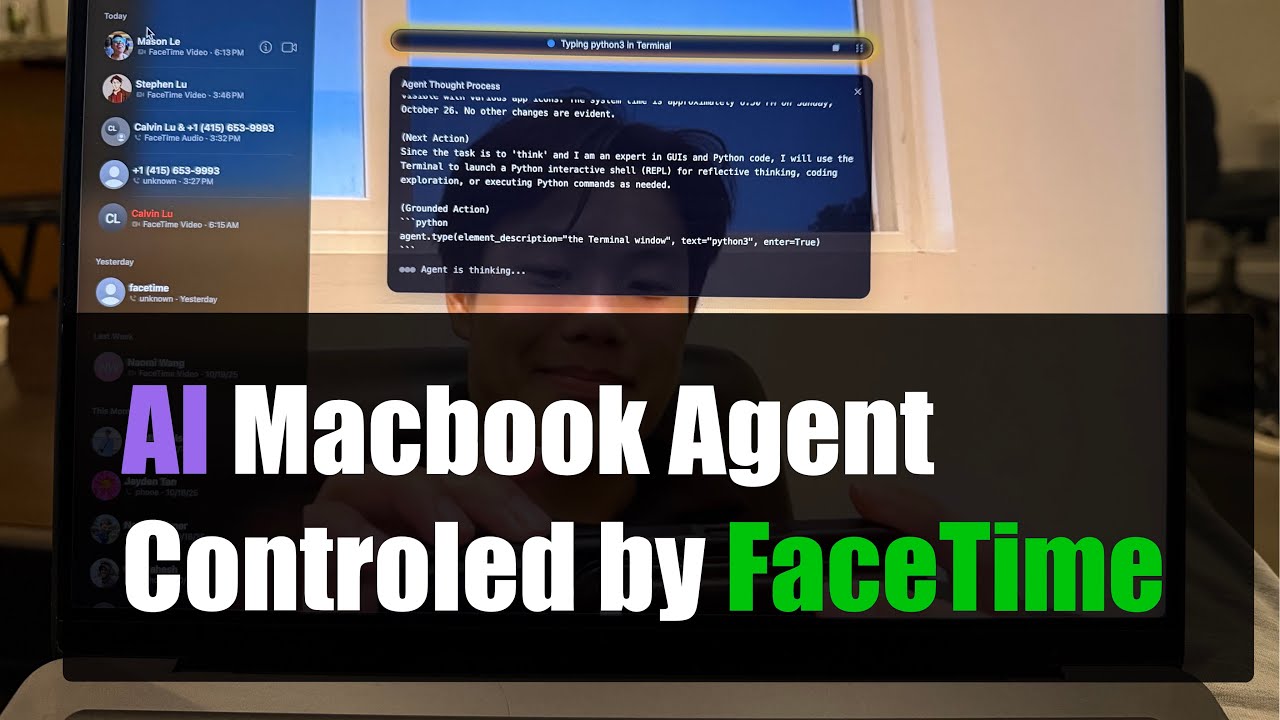
# Project export: FaceTimeOS: AI Mac Agent

This document was generated by HackStack to give an AI agent context about a hackathon project. Sections are labeled with their provenance; content marked as truncated was cut to keep this document small.

## Project metadata

- Hackathon: Cal Hacks 12.0
- Tagline: FaceTime to talk, see, and control your Macbook with AI Agents
- Devpost: https://devpost.com/software/facetime-macos-ai-agent
- GitHub: https://github.com/ThePickleGawd/calhacks-25
- Video: https://www.youtube.com/embed/zN96RdE0OSg?enablejsapi=1&hl=en_US&rel=0&start=&version=3&wmode=transparent
- Result: winner (Cal Hacks: 1st Overall)
- Team: 3 GitHub contributor(s) — Dylan Lu (50 commits), Calvin Lu (29 commits), Davyn Paringkoan (17 commits)

## Devpost submission (written by the team)

### Inspiration

Have you ever gone to the gym and forgotten to train your Hugging Face model? Have you ever wanted to show a friend your most recent Fortnite clip, but the file was stuck on your Mac? We've all been there. In today's remote-first world, we're often physically separated from our most powerful tool: our personal computer. We're stuck on the go, desperately needing a local file, a specific app, or the ability to run a complex script that only exists on our Mac. Current remote desktop solutions are clunky, slow, and built for visual control, not quick, conversational commands. We were inspired to bridge this gap. What if you could control your computer as easily as you call a friend? We envisioned a world where you could just FaceTime or iMessage your Mac and tell it exactly what you need.

### What it does

FaceTimeOS turns your Mac into a personal assistant you can call or text from anywhere. Remote Control via FaceTime & iMessage: You can place a FaceTime call or send an iMessage to your Mac, and our AI agent answers. You can speak or type natural language commands, like "Find the screen recording I made yesterday about the product demo and upload it to Google Drive," or "Re-run my training script and let me know if it fails." Intelligent Task Automation: The agent doesn't just execute simple commands; it can handle complex, multi-step tasks. It can monitor scripts, identify errors, and even attempt to resolve them based on your instructions. Natural Language & Visual Feedback: The agent keeps you updated through natural speech in the FaceTime call (or via text). It summarizes its actions, so you're not left guessing. Critically, after completing a task, it sends a screenshot to your phone via iMessage to visually confirm the job is done.

### How we built it

Our system is a multi-agent architecture orchestrated to create a seamless conversational experience. Core Orchestrator: We use Claude as the central orchestrator. It understands the user's high-level intent from the conversation and determines what actions to take. FaceTime Audio Integration: This was the core of our hack. We used Fish Audio to create a virtual microphone and speaker on the Mac. When a FaceTime call comes in, Fish Audio pipes the incoming audio to a speech-to-text service. This text is sent to our Claude agent, which processes the request and generates a text response. This response is then synthesized into speech and played back into the call through the virtual speaker. Task Execution & Summarization: To understand what the computer is doing and report back, we integrated fetch.ai. This agent monitors the "computer-use trajectory" (e.g., file access, app usage, script logs). When the user asks for an update, fetch.ai uses a model running on Groq to instantly summarize these complex actions into a concise, natural-speech update. Application & Backend: The agent itself is a desktop application built with Electron, React, and Tailwind CSS. The backend logic, REST API integrations, and agent coordination are handled by a Python and Flask server.

### Challenges we ran into

Smoothly Integrating Everything: Our biggest challenge was getting all the moving parts to talk to each other reliably. We had to create a robust system where the Fish Audio stream, the Claude orchestrator, the fetch.ai summarizer, and the Flask backend all communicated in real-time without dropping requests or getting out of sync. Real-time Audio Hijacking: Getting audio in and out of a closed system like FaceTime was extremely difficult. Configuring Fish Audio's virtual devices to intercept and inject audio in real-time—without creating echoes, feedback loops, or massive latency—took significant trial and error. Multi-Agent Orchestration: Teaching Claude how to be an effective "orchestrator" was difficult. We had to carefully craft our prompts to ensure it knew when to handle a request itself versus when to delegate to fetch.ai for a summary or to the Flask backend for a system action.

### Accomplishments we're proud of

Implementing Voice (It Talks Back!): Our biggest "wow" moment. Successfully using Fish Audio to pipe audio from a live FaceTime call, get a response from our AI, and speak it back into the call felt like magic. We turned a simple video call into a powerful C&C interface. Native macOS Integration: This isn't just a web app. By using Electron and integrating directly with system audio via Fish Audio, our agent feels like a native part of the macOS ecosystem, answering FaceTime calls just like a real person. A True Multi-Agent System: We've built a pipeline where Fetch AI orchestrates multiple specialized models (Claude for reasoning, Groq for speed) to fulfill a single, complex user request. The Screenshot Confirmation: Getting the final screenshot sent back to iMessage was a key feature. It provides total peace of mind that the requested task was actually completed correctly, which is critical for a remote tool.

### What we learned

Specialized Agents Win: The "agent-of-agents" model is highly effective. Using Groq for its sheer speed in summarization, Fetch AI for orchestration, and Claude for its powerful reasoning allowed us to build a more robust system than one single model could provide. The Future is Conversational: Interfacing with complex systems via natural language (and getting visual feedback) is far more intuitive than traditional UIs for many tasks. Virtual Devices are a Superpower: Tools like Fish Audio are incredibly powerful. They let you integrate AI into existing, closed platforms (like FaceTime) without needing an official API.

### What's next

Proactive Assistance: We want the agent to be proactive. It could monitor your computer and ping you—for example, "I see that your training script just failed with the same CUDA error. Would you like me to try and fix it?"

## README (from the GitHub repository)

# FaceTimeOS: Mac-use AI Voice Agents

Control your entire Mac with AI voice Agents, via:

1. **FaceTime**: Text your Mac asking to start a FaceTime, it start a session and share screen. Then, talk naturally to instruct any computer-related task.
2. **iMessage**: Text any other prompt, it will fulfill your task

🏆 **1st Place Grand Prize** at Cal Hacks 12.0 (world's largest collegiate hackathon) - [Devpost](https://devpost.com/software/facetime-macos-ai-agent)
- Dylan Lu, Calvin Lu, Davyn Paringkoan

## FaceTime Demo

<a href="https://www.youtube.com/watch?v=zN96RdE0OSg" target="_blank">
  <picture>
    <img src="https://img.youtube.com/vi/zN96RdE0OSg/maxresdefault.jpg" alt="Project Demo (YouTube)" />
  </picture>
</a>

> Click the image to watch the full demo on YouTube.

## iMessage Demo

https://github.com/user-attachments/assets/77a8fe7f-ca2f-4002-9a24-dcf0cfffc0de

## Overview

Our project is organized into three folders

1. `Agent-S` — Our fork of the current SoTA computer-use agent framework. [Original Repo](https://github.com/simular-ai/Agent-S)
2. `backend` - Flask server to handle iMessage/FaceTime and generate voice transcriptions and replies
3. `frontend` — UI to prompt and view current actions of Agent S

![FaceTimeOS System Diagram](docs/diagram.png)

## Quick Start

All you need is a single LLM key. Export `OPENAI_API_KEY` (or swap in the key for your preferred provider) and you’re ready.

**1. Install dependencies**

```bash
git clone https://github.com/ThePickleGawd/FaceTimeOS.git
cd FaceTimeOS

# Setup Agent-S (see original repo for more details/debugging)
cd Agent-S
uv sync

cd ..

# Setup backend
cd backend
uv sync

cd ..

# Setup UI
cd frontend
SHARP_IGNORE_GLOBAL_LIBVIPS=1 npm install --ignore-scripts
npm rebuild sharp
```

For more details on Agent S: https://github.com/simular-ai/Agent-S

**2. Provide your API key**

```bash
# Put this in ~/.zshrc or export it manually
# Grok is recommended and is currently working with no issues
export GROK_API_KEY="xai-your-grok-key"

# There are some issues with OpenAI (it worked at one point though!)
export OPEN_API_KEY="sk-your-openai-key"
```

See the `run_*.sh` files in Agent-S for an idea of what providers we support and how to add your own.

https://fish.audio/app/api-keys/

```bash
# Optional: To enable TTS and STT
export FISH_API_KEY="key"
```

**3. Give Agent Permission to Control Keyboard/Mouse**

When you launch for the first time (see final step), you will be prompted to give permissions to `Terminal` or `VS Code`, etc. This is required for the Agent to control your computer.

|                     Assesibility                      |                   Automation                    |                    Disk Access                    |
| :---------------------------------------------------: | :---------------------------------------------: | :-----------------------------------------------: |
| ![Accessibility Permissions](/docs/accessibility.png) | ![Automation Permissions](/docs/automation.png) | ![Disk Access Permissions](/docs/disk-access.png) |

**4. Route FaceTime audio input/output (optional)**

To route audio directly from FaceTime to our AI Agent, install a lightweight MacOS app. This is optional if you want to use iMessage only.

![FaceTime Audio Setup](/docs/facetime-audio.png)

- Install BlackHole App (Install _both_ 2 and 16 channel version. No config is needed): https://github.com/ExistentialAudio/BlackHole
- Restart computer
- In FaceTime menu, `Video->Microphone` set to BlackHole 2ch. And `Video->Output` set to BlackHole 16ch

**5. Launch FaceTimeOS**

In the base directory:

```bash
# Run everything (UI, backend, Agent S). Change as needed for correct LLM provider
./run.sh
```

Note: The UI Grounding endpoint is no longer live. However, this is not needed unless you want the absolute best clicking accuracy. To set this up yourself, visit: https://github.com/bytedance/UI-TARS/blob/main/README_deploy.md

## Why FaceTimeOS?

#### 1. Seamless Remote Control

Why download clunky remote desktop apps when you can simply **FaceTime your Mac**?  
FaceTimeOS lets you call or message your computer directly through **native Apple interfaces** — no extra setup, no third-party tools, just the simplicity of FaceTime and iMessage.

#### 2. Human-Level Intelligence

Powered by our extended **Agent S3** framework, FaceTimeOS achieves **state-of-the-art (OSWorld-verified)** performance on common computer-use tasks — surpassing existing systems like OpenAI or Anthropic’s Computer-Use Agents.  
We bring **human-level computer interaction** to everyone, accessible from anywhere in the world.


## Detected evidence (automated analysis)

Indexed codebase: 102 recognized source files, 541 KB.
- Anthropic (technology) — detected in the code
- CSS (language) — detected in the code
- FastAPI (technology) — detected in the code
- Flask (technology) — detected in the code
- HTML (language) — detected in the code
- JavaScript (language) — detected in the code
- OpenAI (technology) — detected in the code
- Python (language) — detected in the code
- React (technology) — detected in the code
- Tailwind CSS (technology) — detected in the code
- TypeScript (language) — detected in the code
- Hugging Face (technology) — claimed on Devpost, not found in the code

## Codebase structure (from repository index)

### Files (120 of 127)

```
.DS_Store
.env
Agent-S/.gitignore
Agent-S/.python-version
Agent-S/LICENSE
Agent-S/models.md
Agent-S/pyproject.toml
Agent-S/README.md
Agent-S/run_claude.sh
Agent-S/run_demo_best.sh
Agent-S/run_demo_fast.sh
Agent-S/run_grok.sh
Agent-S/run_groq.sh
Agent-S/run_openai.sh
Agent-S/src/__init__.py
Agent-S/src/s3/__init__.py
Agent-S/src/s3/action_analysis_agent.py
Agent-S/src/s3/agents/__init__.py
Agent-S/src/s3/agents/agent_s.py
Agent-S/src/s3/agents/code_agent.py
Agent-S/src/s3/agents/grounding.py
Agent-S/src/s3/agents/worker.py
Agent-S/src/s3/app.py
Agent-S/src/s3/bbon/__init__.py
Agent-S/src/s3/bbon/behavior_narrator.py
Agent-S/src/s3/bbon/comparative_judge.py
Agent-S/src/s3/cli_app.py
Agent-S/src/s3/core/__init__.py
Agent-S/src/s3/core/engine.py
Agent-S/src/s3/core/mllm.py
Agent-S/src/s3/core/module.py
Agent-S/src/s3/memory/__init__.py
Agent-S/src/s3/memory/procedural_memory.py
Agent-S/src/s3/utils/__init__.py
Agent-S/src/s3/utils/common_utils.py
Agent-S/src/s3/utils/formatters.py
Agent-S/src/s3/utils/local_env.py
Agent-S/src/utils.py
Agent-S/test.py
Agent-S/tests/listen_current_action.py
Agent-S/tests/test_action_analysis_agent.py
Agent-S/tests/test_asi_one.py
Agent-S/tests/test_client.py
Agent-S/uv.lock
Agent-S/WAA_setup.md
backend/.gitignore
backend/.python-version
backend/AUDIO_DEBUG_README.md
backend/audio_level_monitor.html
backend/AUDIO_STREAMING_ARCHITECTURE.md
backend/audio.py
backend/call.py
backend/DEBUG_AUDIO_FLOW.md
backend/imessage_bridge.py
backend/main.py
backend/out_of_memory_error.py
backend/pyproject.toml
backend/run_output_audio.py
backend/test_agent_s.py
backend/test_audio_levels.py
backend/test_audio_output_states.py
backend/test_call.py
backend/test_vad_integration.py
backend/TROUBLESHOOTING_AUDIO_LEVELS.md
backend/uv.lock
backend/VAD_ARCHITECTURE.md
frontend/.gitattributes
frontend/.gitignore
frontend/.npmrc
frontend/API-INTEGRATION.md
frontend/doc.md
frontend/electron/ApiServerHelper.ts
frontend/electron/ipcHandlers.ts
frontend/electron/main.ts
frontend/electron/preload.ts
frontend/electron/ProcessingHelper.ts
frontend/electron/ScreenshotHelper.ts
frontend/electron/shortcuts.ts
frontend/electron/tsconfig.json
frontend/electron/WindowHelper.ts
frontend/index.html
frontend/LICENSE
frontend/package.json
frontend/postcss.config.js
frontend/README.md
frontend/renderer/.gitignore
frontend/renderer/package.json
frontend/renderer/public/index.html
frontend/renderer/public/manifest.json
frontend/renderer/public/robots.txt
frontend/renderer/README.md
frontend/renderer/src/App.css
frontend/renderer/src/App.test.tsx
frontend/renderer/src/App.tsx
frontend/renderer/src/index.css
frontend/renderer/src/index.tsx
frontend/renderer/src/react-app-env.d.ts
frontend/renderer/src/reportWebVitals.ts
frontend/renderer/src/setupTests.ts
frontend/renderer/tsconfig.json
frontend/src/_pages/Debug.tsx
frontend/src/_pages/Queue.tsx
frontend/src/_pages/Solutions.tsx
frontend/src/App.tsx
frontend/src/components/Queue/QueueCommands.tsx
frontend/src/components/Queue/ScreenshotItem.tsx
frontend/src/components/Queue/ScreenshotQueue.tsx
frontend/src/components/Solutions/SolutionCommands.tsx
frontend/src/components/ui/card.tsx
frontend/src/components/ui/dialog.tsx
frontend/src/components/ui/toast.tsx
frontend/src/index.css
frontend/src/lib/utils.ts
frontend/src/main.tsx
frontend/src/types/electron.d.ts
frontend/src/types/global.d.ts
frontend/src/types/index.tsx
frontend/src/types/solutions.ts
frontend/src/vite-env.d.ts
frontend/tailwind.config.cjs
[7 more files omitted for size]
```

### Dependencies

- Agent-S/pyproject.toml: anthropic, backoff, black, dotenv@>=0.9.9, fastapi, flask@>=3.1.2, google-genai, numpy, openai, paddleocr, paddlepaddle, pandas, pyautogui, pyobjc, pytesseract, pytest@>=8.4.2, pywin32, pywinauto, scikit-learn, selenium, tiktoken, together, toml, typing-extensions@>=4.15.0, uagents@>=0.20.1, uvicorn, websockets
- backend/pyproject.toml: fish-audio-sdk@>=1.0.0, flask@>=3.1.2, flask-cors@>=4.0.0, flask-socketio@>=5.3.0, numpy@>=1.26.0, openai@>=1.0.0, pydub@>=0.25.1, python-dotenv@>=1.0.1, python-socketio[client]@>=5.11.0, requests@>=2.32.5, sounddevice@>=0.4.6, soundfile@>=0.12.1
- frontend/package.json: @radix-ui/react-dialog@^1.1.2, @radix-ui/react-toast@^1.2.2, @types/color@^4.2.0, @types/diff@^6.0.0, @types/electron@^1.4.38, @types/node@^22.9.0, @types/react@^18.3.12, @types/react-dom@^18.3.1, @types/react-syntax-highlighter@^15.5.13, @types/screenshot-desktop@^1.12.3, @types/uuid@^9.0.8, @typescript-eslint/eslint-plugin@^8.14.0, @typescript-eslint/parser@^8.14.0, @vitejs/plugin-react@^4.3.3, autoprefixer@^10.4.20, axios@^1.7.7, class-variance-authority@^0.7.0, clsx@^2.1.1, concurrently@^9.1.0, cross-env@^7.0.3, diff@^7.0.0, electron@^33.2.0, electron-builder@^25.1.8, electron-is-dev@^3.0.1, form-data@^4.0.1, lucide-react@^0.460.0, postcss@^8.4.49, react@^18.3.1, react-code-blocks@^0.1.6, react-dom@^18.3.1, react-icons@^5.3.0, react-query@^3.39.3, react-syntax-highlighter@^15.6.1, rimraf@^6.0.1, screenshot-desktop@^1.15.0, sharp@^0.33.5, tailwind-merge@^2.5.4, tailwindcss@^3.4.15, tesseract.js@^5.0.5, typescript@^5.6.3, uuid@^11.0.3, vite@^5.4.11, vite-plugin-electron@^0.28.8, vite-plugin-electron-renderer@^0.14.6, wait-on@^8.0.1
- frontend/renderer/package.json: @testing-library/jest-dom@^5.17.0, @testing-library/react@^13.4.0, @testing-library/user-event@^13.5.0, @types/jest@^27.5.2, @types/node@^16.18.119, @types/react@^18.3.12, @types/react-dom@^18.3.1, react@^18.3.1, react-dom@^18.3.1, react-scripts@5.0.1, typescript@^4.9.5, web-vitals@^2.1.4

### Recent commits (newest first)

- Update README.md
- Update README.md
- fix devpost link
- Update README with devpost
- move overview up in readme
- grok is only one that works currently... strange
- demo isn't working, so I'll try to fallback on previous commit
- facetime audio setup
- docs
- Revise FaceTimeOS launch and audio routing steps
- readme
- merge
- readme
- Revise FaceTime and iMessage instructions in README
- Add FaceTime and iMessage demo sections to README
- pitch I gave to judges
- merge
- readme
- readme merge?
- Merge branch 'main' of github.com:ThePickleGawd/calhacks-25

## Key source files (fetched from GitHub, selected and truncated for size)

### Agent-S/models.md

```markdown
We support the following APIs for MLLM inference: OpenAI, Anthropic, Gemini, Azure OpenAI, vLLM for local models, and Open Router. To use these APIs, you need to set the corresponding environment variables:

1. OpenAI

```
export OPENAI_API_KEY=<YOUR_API_KEY>
```

2. Anthropic

```
export ANTHROPIC_API_KEY=<YOUR_API_KEY>
```

3. Gemini

```
export GEMINI_API_KEY=<YOUR_API_KEY>
export GEMINI_ENDPOINT_URL="https://generativelanguage.googleapis.com/v1beta/openai/"
```

4. OpenAI on Azure

```
export AZURE_OPENAI_API_BASE=<DEPLOYMENT_NAME>
export AZURE_OPENAI_API_KEY=<YOUR_API_KEY>
```

5. vLLM for Local Models

```
export vLLM_ENDPOINT_URL=<YOUR_DEPLOYMENT_URL>
```

Alternatively you can directly pass the API keys into the engine_params argument while instantating the agent.

6. Open Router

```
export OPENROUTER_API_KEY=<YOUR_API_KEY>
export OPEN_ROUTER_ENDPOINT_URL="https://openrouter.ai/api/v1"
```

```python
from gui_agents.s2_5.agents.agent_s import AgentS2_5

engine_params = {
    "engine_type": 'openai', # Allowed Values: 'openai', 'anthropic', 'gemini', 'azure_openai', 'vllm', 'open_router'
    "model": 'gpt-5-2025-08-07', # Allowed Values: Any Vision and Language Model from the supported APIs
}
agent = AgentS2_5(
    engine_params,
    grounding_agent,
    platform=current_platform,
)
```

To use the underlying Multimodal Agent (LMMAgent) which wraps LLMs with message handling functionality, you can use the following code snippet:

```python
from gui_agents.s2_5.core.mllm import LMMAgent

engine_params = {
    "engine_type": 'openai', # Allowed Values: 'openai', 'anthropic', 'gemini', 'azure_openai', 'vllm', 'open_router'
    "model": 'gpt-5-2025-08-07', # Allowed Values: Any Vision and Language Model from the supported APIs
    }
agent = LMMAgent(
    engine_params=engine_params,
)
```

The `AgentS2_5` also utilizes this `LMMAgent` internally.
```

### frontend/doc.md

```markdown
# Reverse-Engineering "Invisible Cheating App" Cluely

Everyone saw Roy Lee's viral stunt with "Cluely," the invisible app designed to secretly ace coding interviews. He pissed off Columbia, Amazon, and pretty much everyone else—but let's skip past the controversy. I tore apart the app to see how it works, and turns out, the tech itself is genuinely interesting.

![Cluely Screenshot](image.png)

### How Cluely Actually Works (Technical Breakdown)

Roy built Cluely using Electron, a desktop app framework based on Chromium and Node.js, to create a transparent, always-on-top overlay:

- **Transparent Window (**`transparent: true`**)** – This Electron BrowserWindow property ensures the background is fully transparent, showing only explicitly rendered content.
- **Always On Top (**`alwaysOnTop: true`**)** – Electron's flag forces the overlay window to persistently float above all other applications, making it consistently accessible without being covered.

Here's an example code snippet: 

```
const { BrowserWindow } = require('electron');

const win = new BrowserWindow({
  width: 800,
  height: 600,
  transparent: true,
  frame: false,
  alwaysOnTop: true,
  skipTaskbar: true,
  resizable: false,
  fullscreen: false,
  webPreferences: {
    nodeIntegration: true,
    contextIsolation: false,
  }
});
win.loadURL('file://' + __dirname + '/index.html');
```

### Backend Communication

The overlay captures clipboard data, screenshots, or selected text and sends this information to an AI backend (e.g., OpenAI) via WebSockets or HTTP requests. This backend quickly processes and returns useful suggestions or solutions.

### Screen Capture and OCR

Advanced implementations use native modules (like node-ffi, robotjs) to capture specific screen areas and run OCR (Optical Character Recognition) using libraries like Tesseract.js. This lets the overlay extract text directly from your screen.

### Clipboard Monitoring

Electron continuously listens for clipboard changes, immediately activating AI-assisted processing whenever new text is copied.

### But Here's the Catch

- **Security Annoyances**: macOS and Windows can detect and restrict invisible overlays in secure or fullscreen contexts.
- **Performance Drag**: OCR processes and constant clipboard monitoring can significantly increase CPU and GPU usage.

### Real, Ethical Ways to Use This Tech

Roy was trolling interviews, but here's the thing—this invisible overlay tech is actually super useful:

- **Sales Copilots**: Imagine having a "Wolf of Wall Street"-style playbook always ready—instantly giving your sales reps real-time context and powerful closing lines during calls or meetings.
- **Customer Support Assistant**: Like having Jarvis from Iron Man whispering the perfect response into your ear—automatically suggesting accurate and relevant replies without breaking your workflow.
- **Onboarding Buddy**: Give new employees a personalized overlay that pops up helpful, contextual advice exactly when they need i
[truncated — 333 more characters]
```

### backend/pyproject.toml

```
[project]
name = "backend"
version = "0.1.0"
description = "Add your description here"
readme = "README.md"
requires-python = ">=3.12"
dependencies = [
    "flask>=3.1.2",
    "flask-socketio>=5.3.0",
    "flask-cors>=4.0.0",
    "requests>=2.32.5",
    "openai>=1.0.0",
    "python-dotenv>=1.0.1",
    "fish-audio-sdk>=1.0.0",
    "numpy>=1.26.0",
    "sounddevice>=0.4.6",
    "soundfile>=0.12.1",
    "pydub>=0.25.1",
    "python-socketio[client]>=5.11.0",
]

```

### Agent-S/pyproject.toml

```
[project]
name = "gui-agents"
version = "0.3.1"
description = "A library for creating general purpose GUI agents using multimodal LLMs."
readme = "README.md"
authors = [
    { name = "Simular AI", email = "eric@simular.ai" },
    { name = "Dylan Lu", email = "dylanelu@gmail.com" },
]
license = { text = "Apache-2.0" }
requires-python = ">=3.9, <=3.13"
keywords = ["ai", "llm", "gui", "agent", "multimodal"]

dependencies = [
    "numpy",
    "backoff",
    "pandas",
    "openai",
    "anthropic",
    "fastapi",
    "uvicorn",
    "paddleocr",
    "paddlepaddle",
    "together",
    "scikit-learn",
    "websockets",
    "tiktoken",
    "selenium",
    "pyautogui",
    "toml",
    "pytesseract",
    "google-genai",
    'pyobjc; platform_system == "Darwin"',
    'pywinauto; platform_system == "Windows"',
    'pywin32; platform_system == "Windows"',
    "uagents>=0.20.1",
    "pytest>=8.4.2",
    "flask>=3.1.2",
    "typing-extensions>=4.15.0",
    "dotenv>=0.9.9",
]

[project.optional-dependencies]
dev = ["black"]

[project.scripts]
agent_s = "src.s3.cli_app:main"

[tool.setuptools.packages.find]
include = ["src*"]
exclude = ["tests*", "images*", "logs*"]

```

### frontend/package.json

```
{
  "name": "interview-coder",
  "version": "1.0.0",
  "main": "./dist-electron/main.js",
  "scripts": {
    "clean": "rimraf dist dist-electron",
    "dev": "vite",
    "build": "npm run clean && tsc && vite build",
    "preview": "vite preview",
    "postinstall": "cross-env SHARP_IGNORE_GLOBAL_LIBVIPS=1 npm rebuild sharp",
    "electron:dev": "tsc -p electron/tsconfig.json && cross-env NODE_ENV=development electron .",
    "electron:build": "tsc -p electron/tsconfig.json && cross-env NODE_ENV=production electron .",
    "app:dev": "concurrently \"npm run dev -- --port 5180\" \"wait-on http://localhost:5180 && npm run electron:dev\"",
    "app:build": "npm run build && electron-builder",
    "watch": "tsc -p electron/tsconfig.json --watch",
    "start": "npm run app:dev",
    "dist": "npm run app:build"
  },
  "build": {
    "appId": "com.electron.meeting-notes",
    "productName": "Meeting Notes Coder",
    "files": [
      "dist/**/*",
      "dist-electron/**/*",
      "package.json",
      "node_modules/**/*"
    ],
    "directories": {
      "output": "release",
      "buildResources": "assets"
    },
    "extraResources": [
      {
        "from": "assets/",
        "to": "assets/"
      }
    ],
    "mac": {
      "category": "public.app-category.productivity",
      "target": [
        {
          "target": "dmg",
          "arch": [
            "x64",
            "arm64"
          ]
        }
      ],
      "icon": "assets/icons/mac/icon.icns",
      "hardenedRuntime": true,
      "entitlements": "assets/entitlements.mac.plist"
    },
    "win": {
      "target": [
        {
          "target": "nsis",
          "arch": [
            "x64",
            "ia32"
          ]
        },
        {
          "target": "portable",
          "arch": [
            "x64"
          ]
        }
      ],
      "icon": "assets/icons/win/icon.ico",
      "requestedExecutionLevel": "asInvoker"
    },
    "linux": {
      "target": [
        {
          "target": "AppImage",
          "arch": [
            "x64"
          ]
        },
        {
          "target": "deb",
          "arch": [
            "x64"
          ]
        }
      ],
      "icon": "assets/icons/png/",
      "category": "Office"
    },
    "nsis": {
      "oneClick": false,
      "perMachine": false,
      "allowToChangeInstallationDirectory": true,
      "deleteAppDataOnUninstall": false
    },
    "publish": [
      {
        "provider": "github",
        "owner": "ibttf",
        "repo": "interview-coder-frontend"
      }
    ]
  },
  "keywords": [],
  "author": "",
  "license": "ISC",
  "description": "",
  "devDependencies": {
    "@types/color": "^4.2.0",
    "@types/diff": "^6.0.0",
    "@types/electron": "^1.4.38",
    "@types/node": "^22.9.0",
    "@types/react": "^18.3.12",
    "@types/react-dom": "^18.3.1",
    "@types/react-syntax-highlighter": "^15.5.13",
    "@types/screenshot-desktop": "^1.12.3",
    "@types/uuid": "^9.0.8",
    "@typescript-eslint/eslint-plugin": "^8.14.0",
    "@typescript-eslint/parser": "^8.14.0",
    "@vitejs/plugin-react": "^4.3.3",
    "autoprefixer": "^10.4.20",
    "concurrently": "^9.1.0",
    "cross-env": "^7.0.3",
    "electron": "^33.2.0",
    "electron-builder": "^25.1.8",
    "electron-is-dev": "^3.0.1",
    "postcss": "^8.4.49",
    "rimraf": "^6.0.1",
    "tailwindcss": "^3.4.15",
    "typescript": "^5.6.3",
    "vite": "^5.4.11",
    "vite-plugin-electron": "^0.28.8",
    "vite-plugin-electron-renderer": "^0.14.6",
    "wait-on": "^8.0.1"
  },
  "dependencies": {
    "@radix-ui/react-dialog": "^1.1.2",
    "@radix-ui/react-toast": "^1.2.2",
    "axios": "^1.7.7",
    "class-variance-authority": "^0.7.0",
    "clsx": "^2.1.1",
    "diff": "^7.0.0",
    "form-data": "^4.0.1",
    "lucide-react": "^0.460.0",
    "react": "^18.3.1",
    "react-code-blocks": "^0.1.6",
    "react-dom": "^18.3.1",
    "react-icons": "^5.3.0",
    "react-query": "^3.39.3",
    "react-syntax-highlighter": "^15.6.1",
    "screenshot-desktop": "^1.15.0",
    "sharp": "^0.33.5",
    "tailwind-merge": "^2.5.4",
    "tesseract.js": "^5.0.5",
    "uuid": "^11.0.3"
  }
}

```

### frontend/renderer/package.json

```
{
  "name": "renderer",
  "version": "0.1.0",
  "private": true,
  "dependencies": {
    "@testing-library/jest-dom": "^5.17.0",
    "@testing-library/react": "^13.4.0",
    "@testing-library/user-event": "^13.5.0",
    "@types/jest": "^27.5.2",
    "@types/node": "^16.18.119",
    "@types/react": "^18.3.12",
    "@types/react-dom": "^18.3.1",
    "react": "^18.3.1",
    "react-dom": "^18.3.1",
    "react-scripts": "5.0.1",
    "typescript": "^4.9.5",
    "web-vitals": "^2.1.4"
  },
  "scripts": {
    "start": "react-scripts start",
    "build": "react-scripts build",
    "test": "react-scripts test",
    "eject": "react-scripts eject"
  },
  "eslintConfig": {
    "extends": [
      "react-app",
      "react-app/jest"
    ]
  },
  "browserslist": {
    "production": [
      ">0.2%",
      "not dead",
      "not op_mini all"
    ],
    "development": [
      "last 1 chrome version",
      "last 1 firefox version",
      "last 1 safari version"
    ]
  }
}

```

### frontend/src/main.tsx

```typescript
import React from "react"
import ReactDOM from "react-dom/client"
import App from "./App"
import "./index.css"

ReactDOM.createRoot(document.getElementById("root")!).render(
  <React.StrictMode>
    <App />
  </React.StrictMode>
)

```

### frontend/src/App.tsx

```typescript
import { ToastProvider } from "./components/ui/toast"
import Queue from "./_pages/Queue"
import { ToastViewport } from "@radix-ui/react-toast"
import { useEffect, useRef, useState } from "react"
import Solutions from "./_pages/Solutions"
import { QueryClient, QueryClientProvider } from "react-query"

declare global {
  interface Window {
    electronAPI: {
      //RANDOM GETTER/SETTERS
      updateContentDimensions: (dimensions: {
        width: number
        height: number
      }) => Promise<void>
      getScreenshots: () => Promise<Array<{ path: string; preview: string }>>
      setWindowClickThrough: (clickThrough: boolean) => Promise<void>

      //GLOBAL EVENTS
      //TODO: CHECK THAT PROCESSING NO SCREENSHOTS AND TAKE SCREENSHOTS ARE BOTH CONDITIONAL
      onUnauthorized: (callback: () => void) => () => void
      onScreenshotTaken: (
        callback: (data: { path: string; preview: string }) => void
      ) => () => void
      onProcessingNoScreenshots: (callback: () => void) => () => void
      onResetView: (callback: () => void) => () => void
      takeScreenshot: () => Promise<void>

      //INITIAL SOLUTION EVENTS
      deleteScreenshot: (
        path: string
      ) => Promise<{ success: boolean; error?: string }>
      onSolutionStart: (callback: () => void) => () => void
      onSolutionError: (callback: (error: string) => void) => () => void
      onSolutionSuccess: (callback: (data: any) => void) => () => void
      onProblemExtracted: (callback: (data: any) => void) => () => void

      onDebugSuccess: (callback: (data: any) => void) => () => void

      onDebugStart: (callback: () => void) => () => void
      onDebugError: (callback: (error: string) => void) => () => void

      moveWindowLeft: () => Promise<void>
      moveWindowRight: () => Promise<void>
      moveWindowUp: () => Promise<void>
      moveWindowDown: () => Promise<void>
      quitApp: () => Promise<void>
      sendChatPrompt: (prompt: string) => Promise<any>
      pauseAgent: () => Promise<any>
      resumeAgent: () => Promise<any>
      stopAgent: () => Promise<any>

      // Current Action Updates
      onCurrentActionUpdate: (
        callback: (
          action: {
            original: string
            text_summary: string
            voice_summary: string
            mode?: string
          }
        ) => void
      ) => () => void

      invoke: (channel: string, ...args: any[]) => Promise<any>
    }
  }
}

const queryClient = new QueryClient({
  defaultOptions: {
    queries: {
      staleTime: Infinity,
      cacheTime: Infinity
    }
  }
})

const App: React.FC = () => {
  const [view, setView] = useState<"queue" | "solutions" | "debug">("queue")
  const containerRef = useRef<HTMLDivElement>(null)

  // Effect for height monitoring
  useEffect(() => {
    const cleanup = window.electronAPI.onResetView(() => {
      console.log("Received 'reset-view' message from main process.")
      queryClient.invalidateQueries(["screenshots"])
      queryClient.invalidateQueries(["problem_statement"])
      queryClient.invalidateQueries(["solution"])
      queryClient.invalidateQueries(["new_solution"])
      setView("queue")
    })

    return () => {
      cleanup()
    }
  }, [])

  useEffect(() => {
    if (!containerRef.current) return

    const updateHeight = () => {
      if (!containerRef.current) return
      const height = containerRef.current.scrollHeight
      const width = containerRef.current.scrollWidth
      window.electronAPI?.updateContentDimensions({ width, height })
    }

    const resizeObserver = new ResizeObserver(() => {
      updateHeight()
    })

    // Initial height update
    updateHeight()

    // Observe for changes
    resizeObserver.observe(containerRef.current)

    // Also update height when view changes
    const mutationObserver = new MutationObserver(() => {
      updateHeight()
    })

    mutationObserver.observe(containerRef.current, {
      childList: true,
      subtree: true,
      attributes: true,
      characterData: true
    })

    return () => {
      resizeObserver.disconnect()
      mutationObserver.disconnect()
    }
  }, [view]) // Re-run when view changes

  useEffect(() => {
    const cleanupFunctions = [
      window.electronAPI.onSolutionStart(() => {
        setView("solutions")
        console.log("starting processing")
      }),

      window.electronAPI.onUnauthorized(() => {
        queryClient.removeQueries(["screenshots"])
        queryClient.removeQueries(["solution"])
        queryClient.removeQueries(["problem_statement"])
        setView("queue")
        console.log("Unauthorized")
      }),
      // Update this reset handler
      window.electronAPI.onResetView(() => {
        console.log("Received 'reset-view' message from main process")

        queryClient.removeQueries(["screenshots"])
        queryClient.removeQueries(["solution"])
        queryClient.removeQueries(["problem_statement"])
        setView("queue")
        console.log("View reset to 'queue' via Command+R shortcut")
      }),
      window.electronAPI.onProblemExtracted((data: any) => {
        if (view === "queue") {
          console.log("Problem extracted successfully")
          queryClient.invalidateQueries(["problem_statement"])
          queryClient.setQueryData(["problem_statement"], data)
        }
      })
    ]
    return () => cleanupFunctions.forEach((cleanup) => cleanup())
  }, [])

  return (
    <div ref={containerRef} className="min-h-0">
      <QueryClientProvider client={queryClient}>
        <ToastProvider>
          {view === "queue" ? (
            <Queue setView={setView} />
          ) : view === "solutions" ? (
            <Solutions setView={setView} />
          ) : (
            <></>
          )}
          <ToastViewport />
        </ToastProvider>
      </QueryClientProvider>
    </div>
  )
}

export default App

```

### frontend/electron/main.ts

```typescript
import { app, BrowserWindow, Tray, Menu, nativeImage } from "electron"
import { initializeIpcHandlers } from "./ipcHandlers"
import { WindowHelper } from "./WindowHelper"
import { ScreenshotHelper } from "./ScreenshotHelper"
import { ShortcutsHelper } from "./shortcuts"
import { ProcessingHelper } from "./ProcessingHelper"
import { ApiServerHelper } from "./ApiServerHelper"

export class AppState {
  private static instance: AppState | null = null

  private windowHelper: WindowHelper
  private screenshotHelper: ScreenshotHelper
  public shortcutsHelper: ShortcutsHelper
  public processingHelper: ProcessingHelper
  public apiServerHelper: ApiServerHelper
  private tray: Tray | null = null

  // View management
  private view: "queue" | "solutions" = "queue"

  private problemInfo: {
    problem_statement: string
    input_format: Record<string, any>
    output_format: Record<string, any>
    constraints: Array<Record<string, any>>
    test_cases: Array<Record<string, any>>
  } | null = null // Allow null

  private hasDebugged: boolean = false

  // Processing events
  public readonly PROCESSING_EVENTS = {
    //global states
    UNAUTHORIZED: "procesing-unauthorized",
    NO_SCREENSHOTS: "processing-no-screenshots",

    //states for generating the initial solution
    INITIAL_START: "initial-start",
    PROBLEM_EXTRACTED: "problem-extracted",
    SOLUTION_SUCCESS: "solution-success",
    INITIAL_SOLUTION_ERROR: "solution-error",

    //states for processing the debugging
    DEBUG_START: "debug-start",
    DEBUG_SUCCESS: "debug-success",
    DEBUG_ERROR: "debug-error"
  } as const

  constructor() {
    // Initialize WindowHelper with this
    this.windowHelper = new WindowHelper(this)

    // Initialize ScreenshotHelper
    this.screenshotHelper = new ScreenshotHelper(this.view)

    // Initialize ProcessingHelper
    this.processingHelper = new ProcessingHelper(this)

    // Initialize ShortcutsHelper
    this.shortcutsHelper = new ShortcutsHelper(this)

    // Initialize ApiServerHelper
    this.apiServerHelper = new ApiServerHelper(this)
  }

  public static getInstance(): AppState {
    if (!AppState.instance) {
      AppState.instance = new AppState()
    }
    return AppState.instance
  }

  // Getters and Setters
  public getMainWindow(): BrowserWindow | null {
    return this.windowHelper.getMainWindow()
  }

  public getView(): "queue" | "solutions" {
    return this.view
  }

  public setView(view: "queue" | "solutions"): void {
    this.view = view
    this.screenshotHelper.setView(view)
  }

  public isVisible(): boolean {
    return this.windowHelper.isVisible()
  }

  public getScreenshotHelper(): ScreenshotHelper {
    return this.screenshotHelper
  }

  public getProblemInfo(): any {
    return this.problemInfo
  }

  public setProblemInfo(problemInfo: any): void {
    this.problemInfo = problemInfo
  }

  public getScreenshotQueue(): string[] {
    return this.screenshotHelper.getScreenshotQueue()
  }

  public getExtraScreenshotQueue(): string[] {
    return this.screenshotHelper.getExtraScreenshotQueue()
  }

  // Window management methods
  public createWindow(): void {
    this.windowHelper.createWindow()
  }

  public hideMainWindow(): void {
    this.windowHelper.hideMainWindow()
  }

  public showMainWindow(): void {
    this.windowHelper.showMainWindow()
  }

  public toggleMainWindow(): void {
    console.log(
      "Screenshots: ",
      this.screenshotHelper.getScreenshotQueue().length,
      "Extra screenshots: ",
      this.screenshotHelper.getExtraScreenshotQueue().length
    )
    this.windowHelper.toggleMainWindow()
  }

  public setWindowDimensions(width: number, height: number): void {
    this.windowHelper.setWindowDimensions(width, height)
  }

  public clearQueues(): void {
    this.screenshotHelper.clearQueues()

    // Clear problem info
    this.problemInfo = null

    // Reset view to initial state
    this.setView("queue")
  }

  // Screenshot management methods
  public async takeScreenshot(): Promise<string> {
    if (!this.getMainWindow()) throw new Error("No main window available")

    const screenshotPath = await this.screenshotHelper.takeScreenshot(
      () => this.hideMainWindow(),
      () => this.showMainWindow()
    )

    return screenshotPath
  }

  public async getImagePreview(filepath: string): Promise<string> {
    return this.screenshotHelper.getImagePreview(filepath)
  }

  public async deleteScreenshot(
    path: string
  ): Promise<{ success: boolean; error?: string }> {
    return this.screenshotHelper.deleteScreenshot(path)
  }

  // New methods to move the window
  public moveWindowLeft(): void {
    this.windowHelper.moveWindowLeft()
  }

  public moveWindowRight(): void {
    this.windowHelper.moveWindowRight()
  }
  public moveWindowDown(): void {
    this.windowHelper.moveWindowDown()
  }
  public moveWindowUp(): void {
    this.windowHelper.moveWindowUp()
  }

  public centerAndShowWindow(): void {
    this.windowHelper.centerAndShowWindow()
  }

  public createTray(): void {
    // Create a simple tray icon
    const image = nativeImage.createEmpty()
    
    // Try to use a system template image for better integration
    let trayImage = image
    try {
      // Create a minimal icon - just use an empty image and set the title
      trayImage = nativeImage.createFromBuffer(Buffer.alloc(0))
    } catch (error) {
      console.log("Using empty tray image")
      trayImage = nativeImage.createEmpty()
    }
    
    this.tray = new Tray(trayImage)
    
    const contextMenu = Menu.buildFromTemplate([
      {
        label: 'Show Interview Coder',
        click: () => {
          this.centerAndShowWindow()
        }
      },
      {
        label: 'Toggle Window',
        click: () => {
          this.toggleMainWindow()
        }
      },
      {
        type: 'separator'
      },
      {
        label: 'Take Screenshot (Cmd+H)',
        click: async () => {
          try {
            const screenshotPath = await th
[truncated — 2194 more characters]
```

### backend/main.py

```python
"""HTTP bridge between Agent S and the UI server."""

from __future__ import annotations

import base64
import io
import logging
import os
import subprocess
import tempfile
import time
import wave
from dataclasses import dataclass
from http import HTTPStatus
from pathlib import Path
from typing import Any, Dict, Optional, Tuple
from uuid import uuid4

import requests
from flask import Flask, Response, jsonify, request
from dotenv import load_dotenv
import socketio

import audio


# Global flag to track audio playback state
_audio_playing = False

ENV_PATH = Path(__file__).resolve().parent.parent / ".env"
load_dotenv(dotenv_path=ENV_PATH)


def _env_bool(name: str, default: bool = False) -> bool:
    raw = os.getenv(name)
    return default if raw is None else raw.lower() in {"1", "true", "yes", "on"}


LOG_LEVEL = os.getenv("BACKEND_LOG_LEVEL", "INFO").upper()
logging.basicConfig(
    level=LOG_LEVEL, format="%(asctime)s %(levelname)s %(name)s: %(message)s"
)

app = Flask(__name__)

# Socket.IO client for connecting to call.py service
sio = socketio.Client(logger=True, engineio_logger=False)

# Call service configuration
CALL_SERVICE_HOST = os.getenv("CALL_SERVICE_HOST", "localhost")
CALL_SERVICE_PORT = os.getenv("CALL_SERVICE_PORT", "5002")
CALL_SERVICE_URL = f"http://{CALL_SERVICE_HOST}:{CALL_SERVICE_PORT}"

# Audio format configuration (must mirror backend/call.py defaults)
AUDIO_SAMPLE_RATE = int(os.getenv("CALL_AUDIO_SAMPLE_RATE", "48000"))
AUDIO_CHANNELS = int(os.getenv("CALL_AUDIO_CHANNELS", "2"))
AUDIO_SAMPLE_WIDTH = 2  # bytes (int16 PCM)


def _pcm_to_wav_bytes(pcm_data: bytes) -> bytes:
    """Wrap raw PCM int16 audio data into a WAV container."""
    if not pcm_data:
        raise ValueError("PCM data must not be empty when converting to WAV")

    buffer = io.BytesIO()
    with wave.open(buffer, "wb") as wav_file:
        wav_file.setnchannels(AUDIO_CHANNELS)
        wav_file.setsampwidth(AUDIO_SAMPLE_WIDTH)
        wav_file.setframerate(AUDIO_SAMPLE_RATE)
        wav_file.writeframes(pcm_data)

    return buffer.getvalue()


class CallManager:
    """Manages WebSocket connection and audio output to call.py service."""

    def __init__(self):
        self.connected = False
        self.call_active = False
        self.playback_in_progress = False

    def connect_to_call_service(self):
        """Establish WebSocket connection to call.py service."""
        if not self.connected:
            try:
                logging.info(f"Connecting to call service at {CALL_SERVICE_URL}")
                sio.connect(CALL_SERVICE_URL, namespaces=["/"])
                self.connected = True
                logging.info("Connected to call service successfully")
            except Exception as e:
                logging.error(f"Failed to connect to call service: {e}")
                raise

    def disconnect_from_call_service(self):
        """Disconnect from call.py service."""
        if self.connected:
            try:
                sio.disconnect()
                self.connected = False
                self.call_active = False
                logging.info("Disconnected from call service")
            except Exception as e:
                logging.error(f"Error disconnecting from call service: {e}")

    def start_call(self):
        """Start a FaceTime call session."""
        if not self.connected:
            self.connect_to_call_service()

        if self.connected:
            # Start recording from the virtual audio device
            sio.emit("start_recording")
            self.call_active = True
            logging.info("Call started, recording initiated")
            return True
        return False

    def end_call(self):
        """End the FaceTime call session."""
        if self.connected and self.call_active:
            # Stop recording
            sio.emit("stop_recording")
            self.call_active = False
            logging.info("Call ended, recording stopped")
            # Keep connection alive for potential future calls
            return True
        return False

    def send_audio_to_output(self, audio_bytes: bytes):
        """Send audio to be played through the FaceTime output device."""
        if not self.connected:
            logging.error("Not connected to call service, cannot send audio")
            return False

        if not self.call_active:
            logging.warning("No active call, cannot send audio")
            return False

        try:
            # Encode audio as base64 for transmission
            audio_b64 = base64.b64encode(audio_bytes).decode("utf-8")
            sio.emit("audio_input", {"audio": audio_b64})
            self.playback_in_progress = True
            logging.debug(f"Sent {len(audio_bytes)} bytes of audio to FaceTime output")
            return True
        except Exception as e:
            logging.error(f"Failed to send audio: {e}")
            return False


# Initialize call manager
call_manager = CallManager()


# Socket.IO event handlers
@sio.on("connect")
def on_connect():
    logging.info("Connected to call service via WebSocket")
    call_manager.connected = True


@sio.on("disconnect")
def on_disconnect():
    logging.info("Disconnected from call service")
    call_manager.connected = False
    call_manager.call_active = False


# Audio streaming buffer for accumulating chunks
current_utterance_chunks = []
utterance_start_time = None


@sio.on("utterance_start")
def on_utterance_start(data):
    """Handle start of user utterance."""
    global current_utterance_chunks, utterance_start_time
    current_utterance_chunks = []
    utterance_start_time = data.get("timestamp", time.time())
    logging.info("🎤 UTTERANCE START - Beginning audio stream from call.py")


@sio.on("audio_chunk")
def on_audio_chunk(data):
    """Handle incoming audio chunk during utterance."""
    global current_utterance_chunks
    try:
        audio_b64 = data.get("audio")
        if not audio_b64:
            return

        # Decod
[truncated — 27526 more characters]
```

[84 more indexed source files omitted to keep this export small. The full file list is in the Codebase structure section above.]